
Your data stays with you
Everything is stored in a SharePoint site in your tenant. No publisher server, no third-party service.

# why
# benefits
Everything is stored in a SharePoint site in your tenant. No publisher server, no third-party service.
Your Microsoft 365 licences are enough: standard connectors only, no Dataverse.
Target achievement rate, skills radar and modules to work on.
The app finds colleagues with the right level and opens a pre-written Teams chat.
We install the app and train two administrators, followed by one month of hypercare.
# features
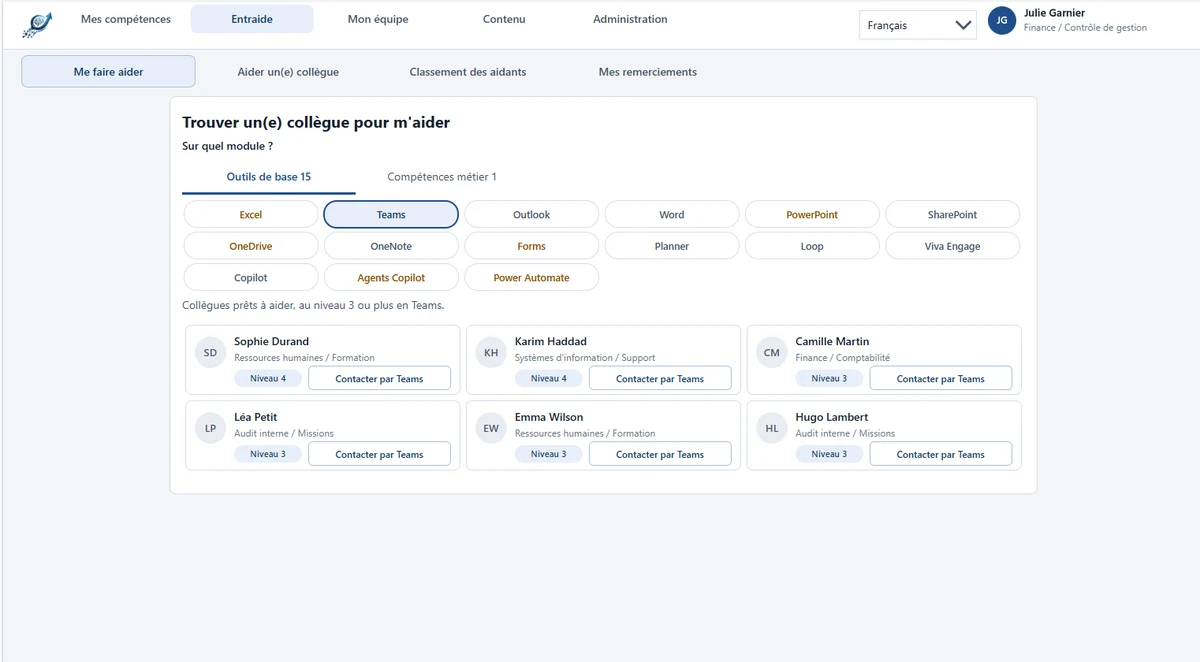
As soon as a module is below target, the app suggests the colleagues who can help and opens the Teams chat.
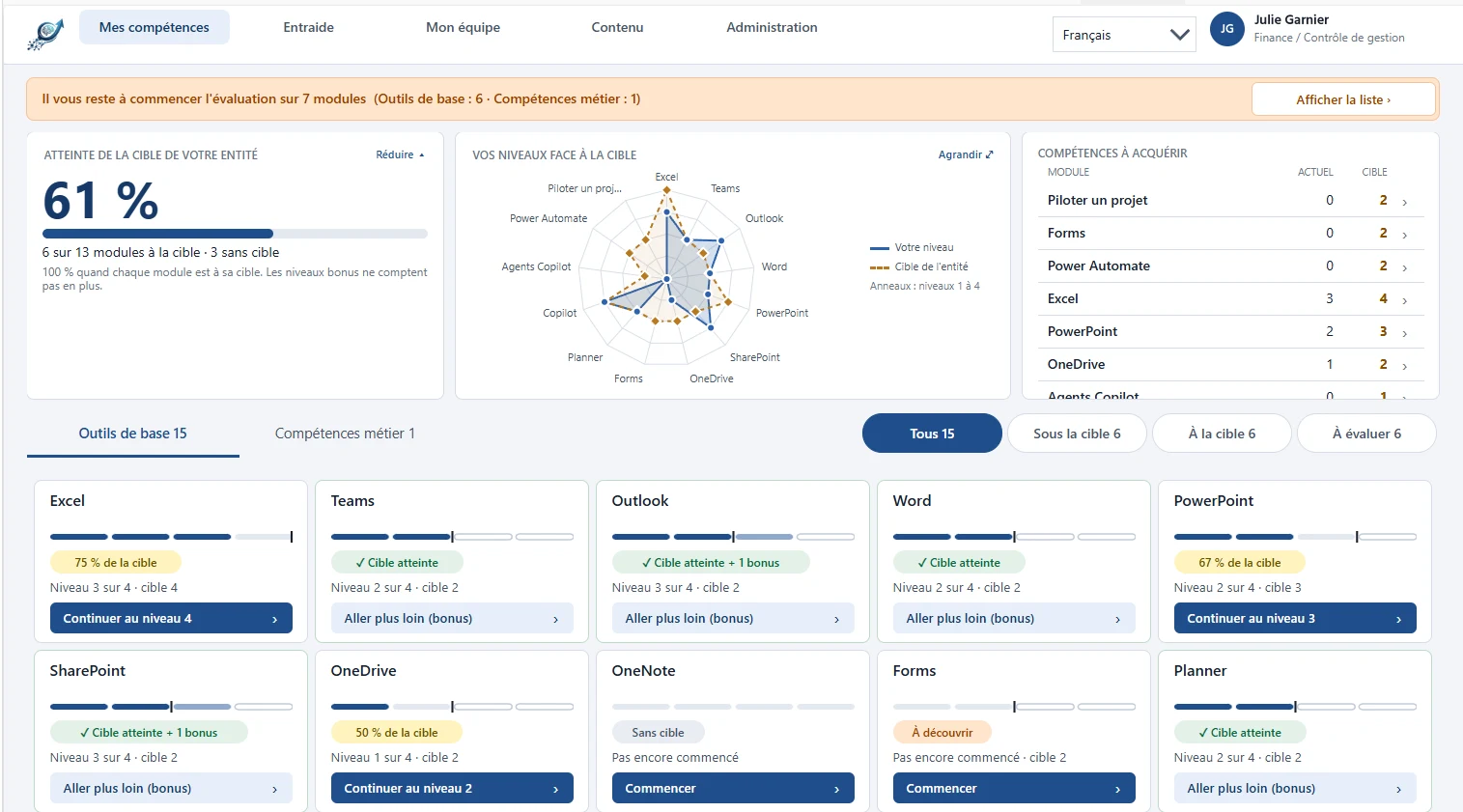
A personal dashboard shows the entity's target achievement rate, the skills radar and the modules to work on first.
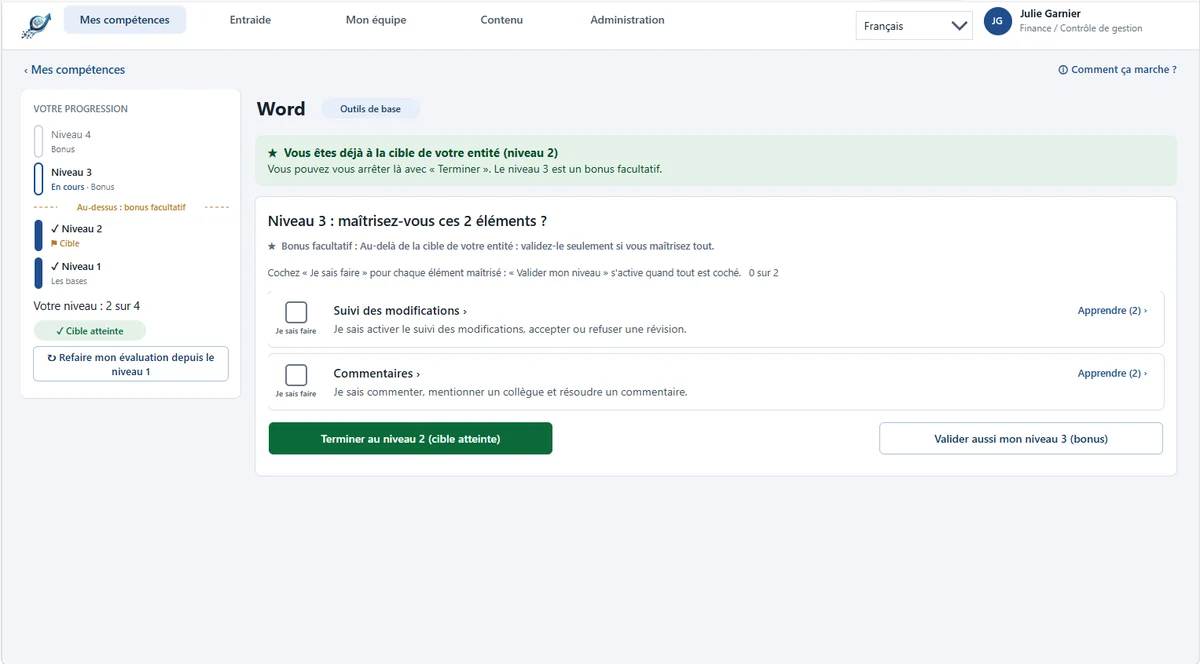
Each employee validates their levels by ticking specific practical skills. Help resources come with each practical skill: pages, links, videos and documents.
When an employee is stuck, the app shows them the colleagues who have the right level and opens a Teams chat with a pre-written message. They can then thank them.
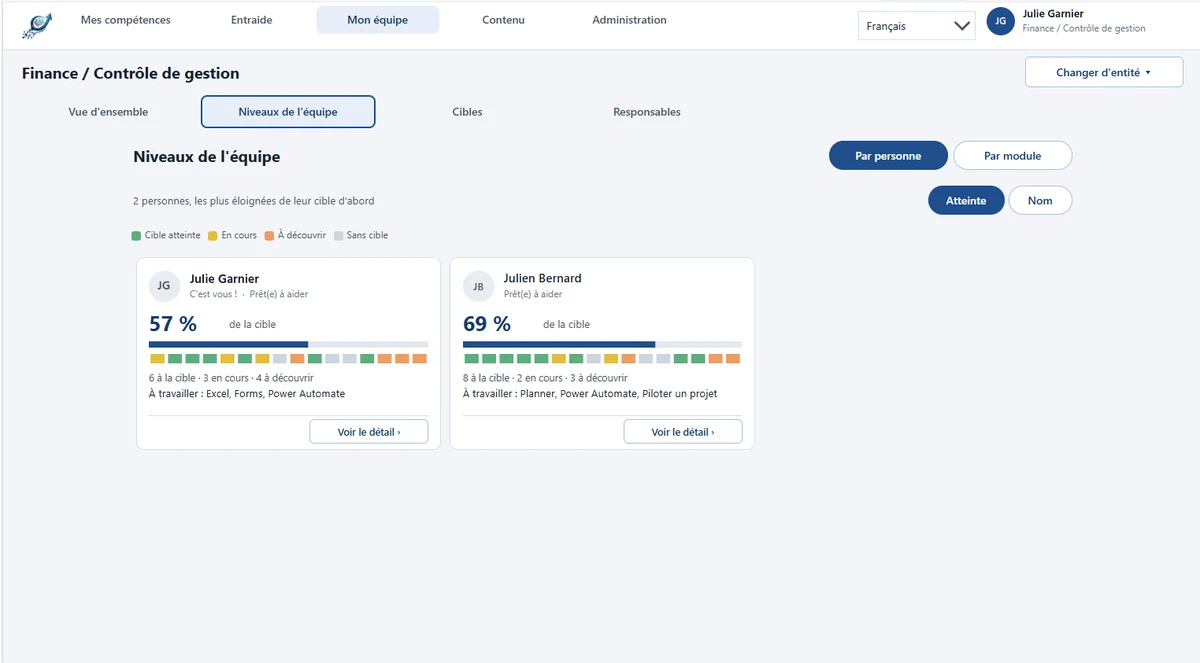
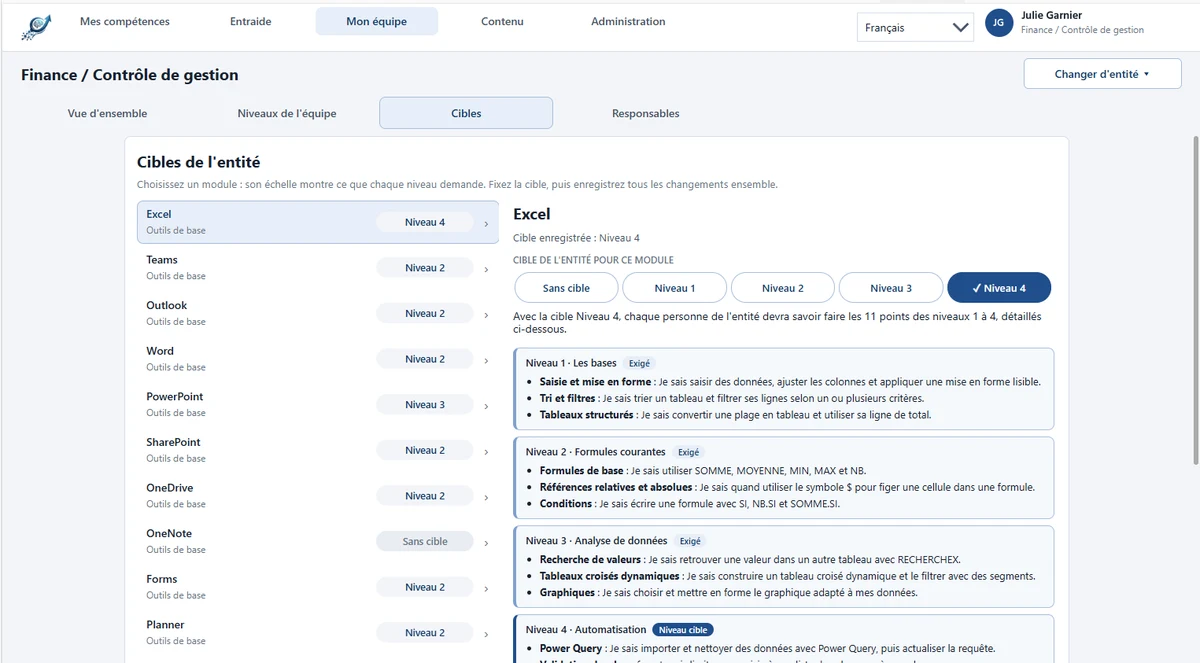
Managers set a target per module and track their team's progress, person by person or module by module.
Your training or adoption leads define the modules, levels, practical skills and help resources. You can cover digital tools as well as business skills, in up to 9 languages.
# who it's for
For organisations on Microsoft 365 that support the adoption of their tools or track business skills: HR, training and IT departments.
Knows what is expected of them and quickly finds someone to turn to.
Sets clear goals and sees who needs help.
Keeps an easy-to-maintain skills catalogue up to date.
Adapts the app to your organisation.
# use cases
Each tool becomes a module. Employees assess themselves, learn with the help resources and turn to the colleagues who are most comfortable with it.
A manager sets the expected level, for example proficiency in SAP or your business tools, and tracks the gaps in their team.
# data and security
Help Me To Leap runs on Power Apps, SharePoint Online and Power Automate, in your Microsoft 365 environment.
# installation and support
We show you the app in a demo environment.
Microsoft 365 with Power Apps and Power Automate, a dedicated SharePoint site and a service account.
We install the app, configure it with your colours and train two of your administrators.
One month of hypercare, then application maintenance on quotation for fixes, new versions and enhancements.
# frequently asked questions
In your Microsoft 365 tenant, on a SharePoint Online site that belongs to you. The Power Apps app and the Power Automate flow also run in your environment. No data is sent to a publisher or third-party server: you keep control of access, backups and retention, with your usual Microsoft tools.
No. The app only uses standard connectors, mainly SharePoint, and no Dataverse database. Microsoft 365 licences that include Power Apps and Power Automate are enough, for users as well as for the technical account that runs the management flow. No additional Microsoft subscription is needed.
One day. We install the solution in your tenant, configure it with your colours and train two of your administrators. You then have one month of hypercare for questions and adjustments. Beyond that, fixes, new versions and enhancements are delivered under an application maintenance contract, on quotation.
Yes. The interface adapts to the available width and can be used in a browser, on a tablet or in Microsoft Teams. The contact buttons open a Teams chat directly with the chosen colleague, with a pre-written message. The current version is not designed for use on phones.
Yes. Your training or adoption leads manage the catalogue directly in the app: modules, levels, practical skills and help resources (pages, links, videos, documents). You can cover digital tools as well as business skills, in up to 9 languages. The display name, colour and logo can also be adapted to your organisation.
Pricing is adapted to your organisation: per tenant, per department or per person. It depends on the intended scope and the level of support you want. Installation, training and the first month of hypercare are carried out by us. The easiest way is to talk it through during a demo.
We show you the app in a demo environment, then look at your context: scope, licences, timing.


