AI uses made visible
Employees declare their own uses; the register stays current without a survey.

The register of AI uses in your organisation.
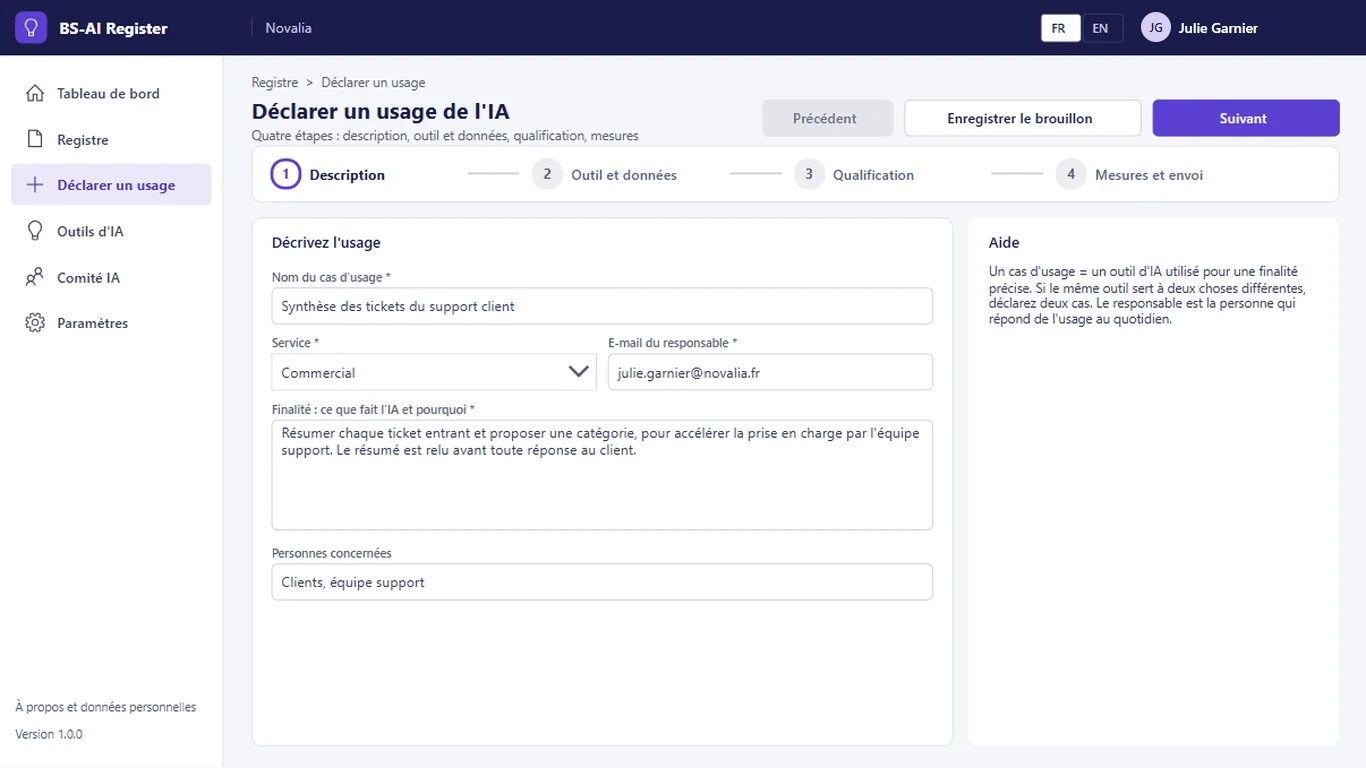
BS-AI Register gives an overview of the uses of artificial intelligence. Each employee declares a use in four guided steps, and a questionnaire suggests a risk level. The AI committee confirms or corrects that level, decides and sets the measures. The catalogue shows which tools are allowed, allowed under conditions or forbidden.
# why
# benefits
Employees declare their own uses; the register stays current without a survey.
A questionnaire suggests a level; the committee confirms or corrects it.
Each case carries the committee decision, the measures and the next review date.
Everyone knows which tools are allowed, under which conditions, and which are forbidden.
The owner is warned 30 days before the review, and the committee is reminded of pending cases.
# features
The register fills up without a survey, and each qualification remains that of your committee. Reviews are reminded automatically.
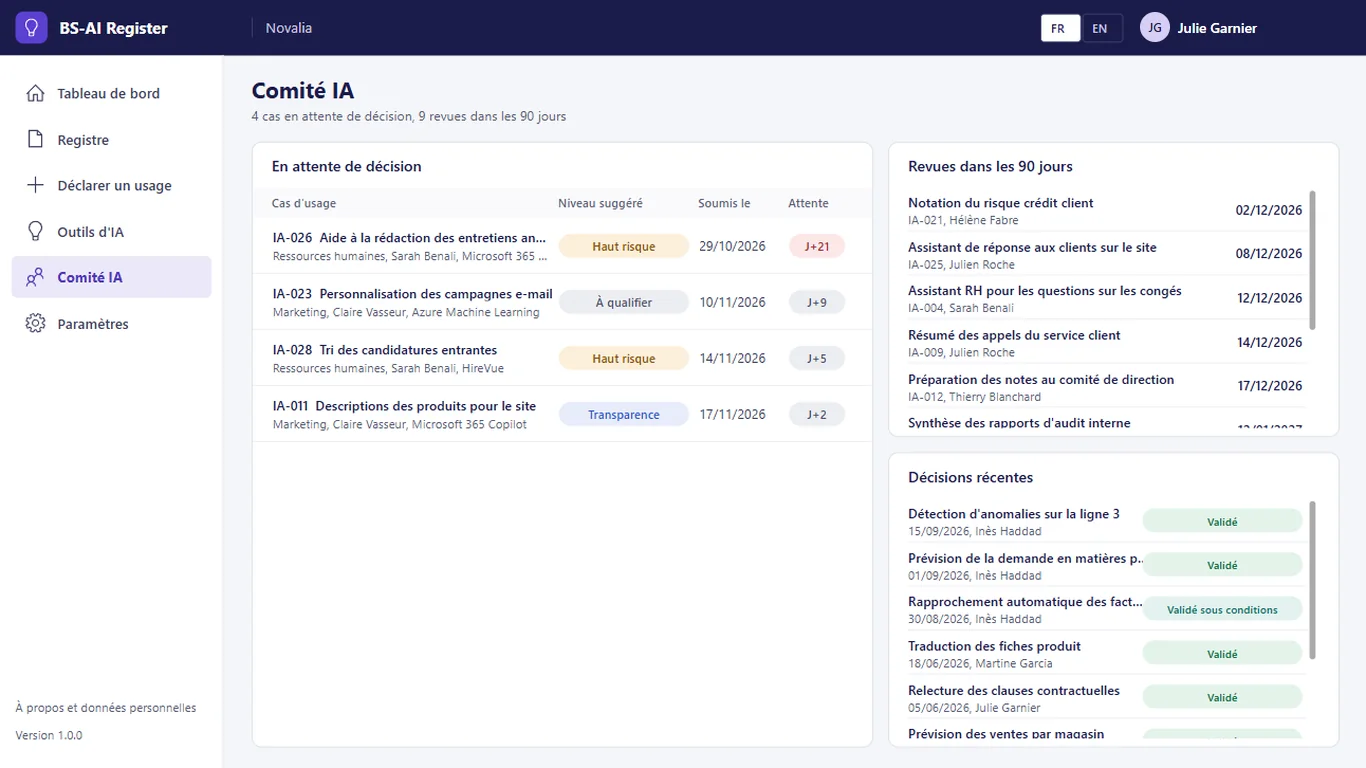
Cases awaiting a decision, reviews due in the next 90 days and recent decisions on one screen. The committee sets a level, decides (approved, approved under conditions, refused), sets the measures and the date of the next review.
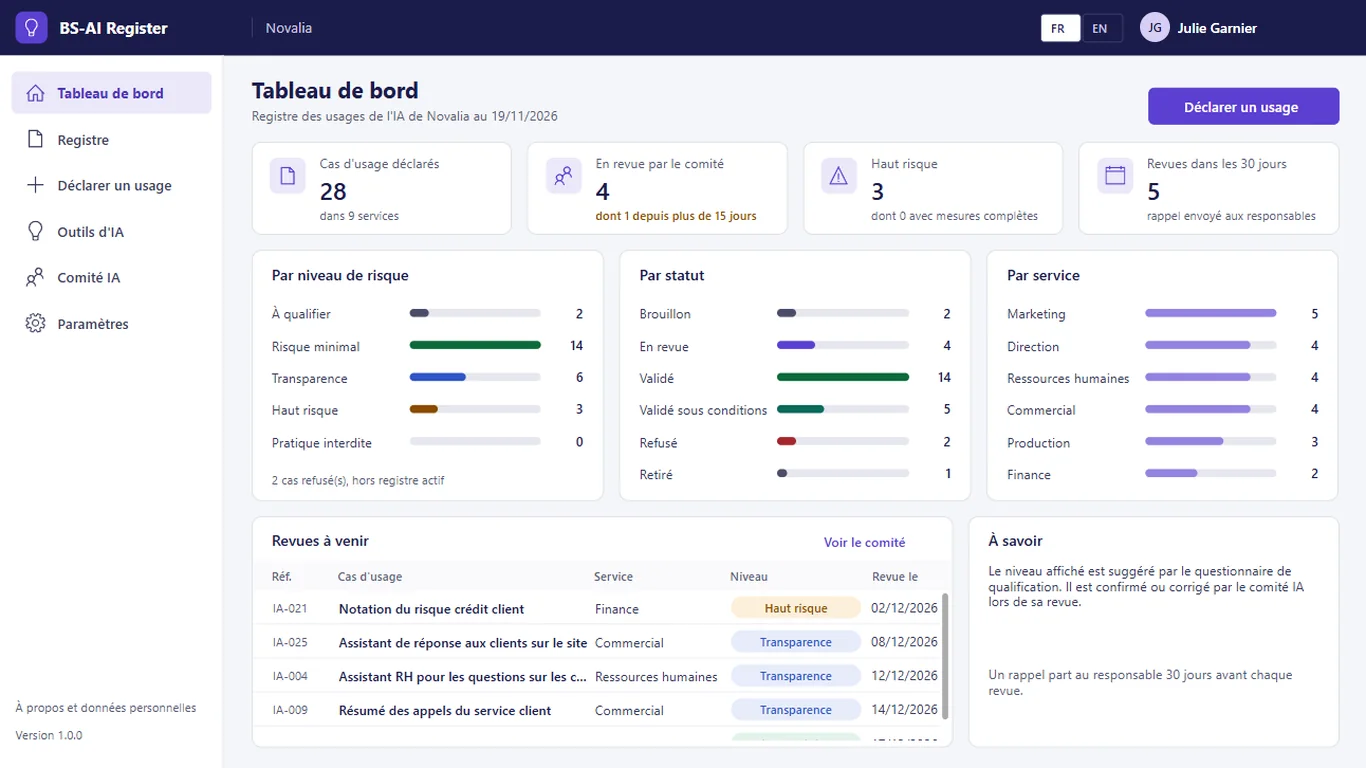
Declared cases, cases under review, high-risk cases and reviews due in the next 30 days, then the breakdown of uses by risk level, status and department.
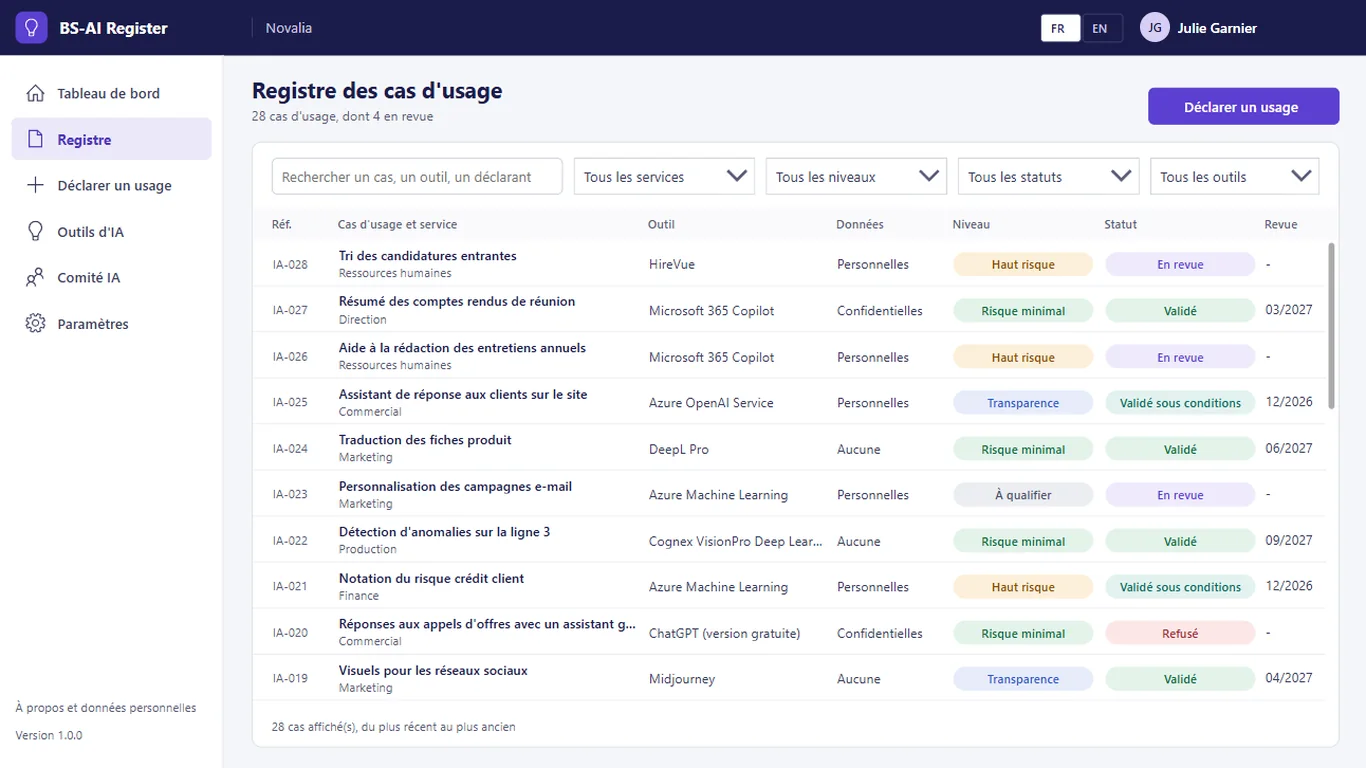
The register lists each case with its department, tool, data used, level, status and next review. Search and filters by department, level, status and tool.
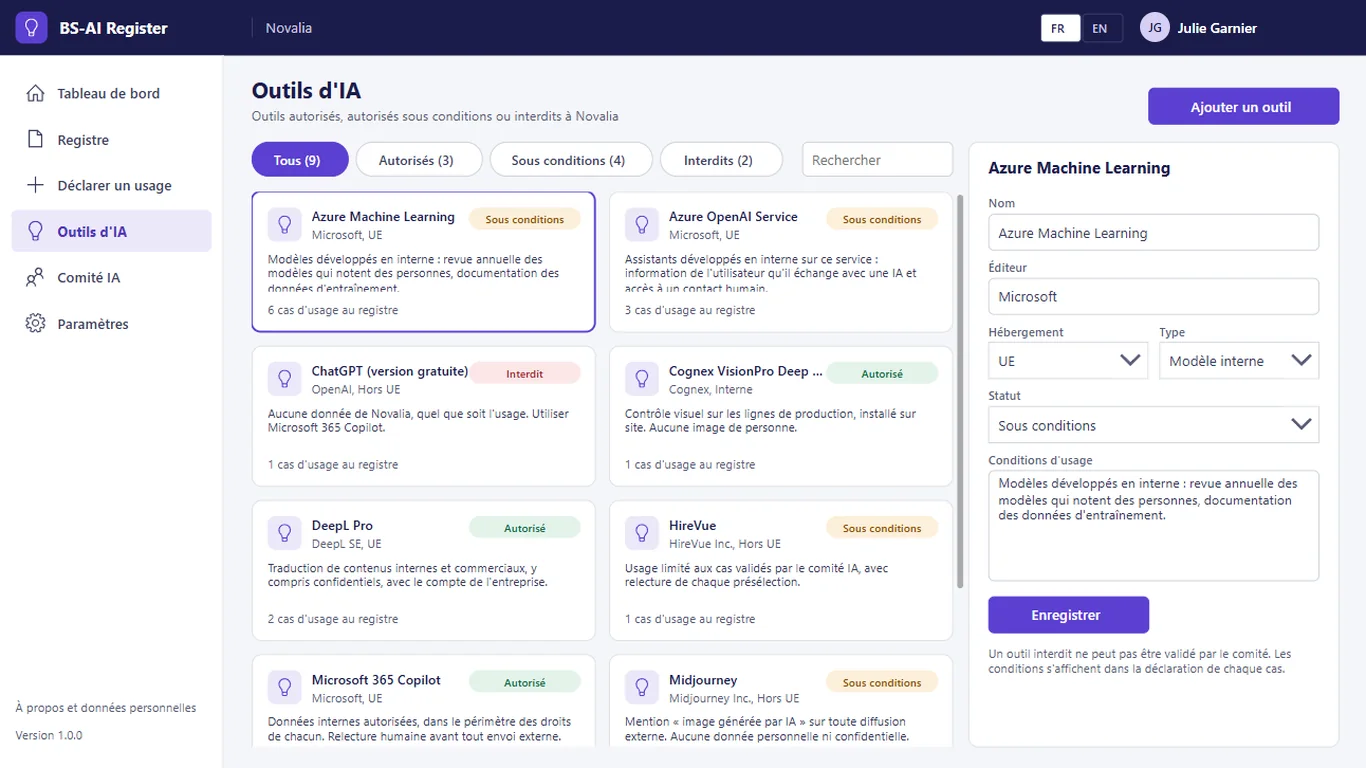
Each tool has its publisher, hosting, type, status and conditions of use. A forbidden tool cannot be approved by the committee in a use case.
# who it's for
For the data protection officer, compliance, IT or the transformation department. The register helps document uses with regard to the European AI regulation (AI Act), with no promise of compliance.
# use cases
Sales want an assistant that answers customer questions on the website. The owner declares the use; the questionnaire suggests the "transparency" level. The committee approves under conditions: users are told they are talking to an AI and can reach a human contact, with a review in one year. The use is known, the conditions are written in the record, and the review will be reminded to the owner.
HR are considering a tool that pre-selects job applications. The declaration brings out personal data and an effect on people; the suggested level is "high risk" and the case goes into review. The committee examines the case before any rollout and sets the measures to take.
An employee would like to use a free assistant for internal documents. The catalogue lists the tool as forbidden for any data of the organisation; the declaration cannot be approved. The employee turns to an allowed tool from the catalogue.
# alternatives
| Alternative | Limitation | What BS-AI Register brings |
|---|---|---|
| Spreadsheet kept by the data protection officer | Depends on a manual survey, quickly out of date, with no recorded decisions or reviews | Declarations by the teams, recorded decisions and reviews, automatic reminders |
| AI governance SaaS platform | Governance data outside the tenant, subscription, tool often designed for large compliance teams | Your map of AI uses stays in your Microsoft 365, in a tool sized to the need |
| Custom development | Cost and lead time of a project, maintenance to plan | Ready-to-use app, delivered with its installation kit |
# data and security
Power Apps, Power Automate and SharePoint, with standard connectors only.
# installation
In the Bret Software demo environment, with fictitious data, on every screen.
A Power Platform environment with Dataverse, a SharePoint site, a service account with a Microsoft 365 licence and a mailbox, Microsoft Entra groups for the profiles (AI committee, employees).
By Bret Software, in your tenant, with the app's kit: lists, settings, audited permissions and Power Platform solution.
Setting the committee address, review frequency and tool catalogue, acceptance in test mode, which sends every e-mail to a single address, then go-live for users.
# frequently asked questions
No. BS-AI Register only uses standard connectors: SharePoint and Office 365 Outlook. Users need a Microsoft 365 licence that includes Power Apps and Power Automate for Microsoft 365, with no Premium option. A service account, with a Microsoft 365 licence and a mailbox, runs the flows. Your administrator checks the plans available in your tenant.
In a SharePoint site of your Microsoft 365 tenant, dedicated to the app. No data is sent to Bret Software or to any third-party service: there is no external server. Any e-mails are sent through your organisation's Outlook connector. Permissions are set list by list for each group, and an append-only log records the actions.
Bret Software installs the app in your tenant in one day, with its kit: lists, settings, permissions and Power Platform solution. You provide a Power Platform environment with Dataverse, a service account with a Microsoft 365 licence and Microsoft Entra groups for the profiles. On request, we import your existing data and adapt the logo and colours.
Yes. The interface is available in French and English. The app opens in the browser language the first time, then remembers each user's choice. E-mails are sent in the recipient's language, or in French then English when it is not known or when the message goes to several people. Labels can be edited in a SharePoint list.
Yes. We give you access to the Bret Software demo environment: the app runs there with fictitious data, on every screen. You explore it with your teams before deciding. The price is set on quotation, according to your context and the adaptations you want, such as importing your existing data.
No. The app helps list uses, document them and track decisions and measures. The risk level proposed by the questionnaire is a suggestion: the qualification remains that of your AI committee, and the legal analysis that of your organisation. The register provides a documented basis for this work.
No. You declare a use, that is a recurring way of using a tool for a given task, for example summarising meeting minutes with an assistant. One person can declare several uses. The declaration can be saved as a draft and resumed later, before it is sent to the committee.
The register and the tool catalogue can be read by employees. Decisions, retained levels and measures are entered by the AI committee, the only body entitled to qualify and decide. Permissions are set by group on the SharePoint lists: an employee cannot change the committee decision.
A flow runs every morning. It announces to the committee the cases submitted the day before, at the address defined in the settings, and flags cases under review for longer than the set delay. It also reminds the owner of an approved case that its review is due in 30 days. E-mails are sent through Outlook, in your tenant.
Demo with fictitious data: guided declaration, suggested level, committee decision and tool catalogue.


